
Time management is crucial for the self-employed. With no fixed schedule and no direct supervisors, it is easy for work to become disorganised and tasks to pile up.
Therefore, good time management not only increases productivity, but also reduces stress and improves work-life balance.
If you are self-employed and at the end of the day you think you could have been more productive, we encourage you to join us in this post: you will learn about the best tools that can help you manage your time more effectively.
Planning and organisational applications
Say goodbye to chaos and hello to organisation! With these planning apps, you’ll have your tasks sorted and well managed:
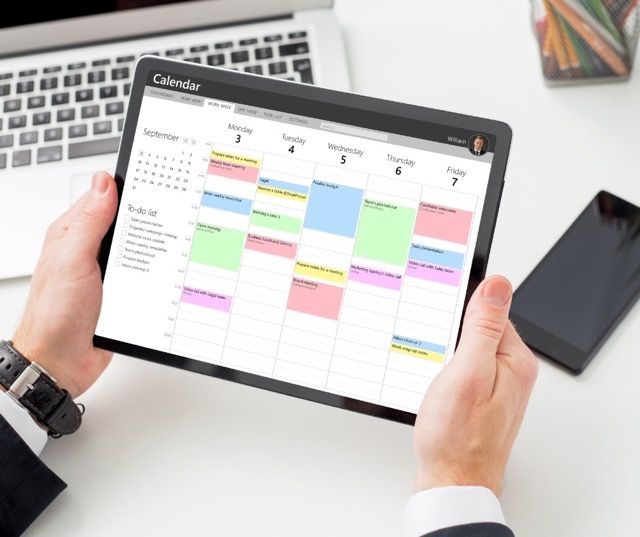
Digital calendars
Among the most effective digital calendar applications we highlight:
Google Calendar
Outstanding features
Google Calendar is a versatile tool that allows users to create events, set reminders and share calendars with others.
Its intuitive interface makes it easy to plan and track daily, weekly and monthly tasks.
Integrations and synchronisation
Google Calendar integrates with numerous applications, such as Gmail and Google Meet, allowing seamless synchronisation between the tools. It is also accessible from any internet-enabled device, making it easy to manage time on the go.
Microsoft Outlook
Featured features
Microsoft Outlook is not only a powerful email manager, but also includes an impressive calendar. It allows you to schedule meetings, create recurring events and set up alerts and reminders.
Use in conjunction with other Microsoft tools
Outlook integrates seamlessly with other Microsoft applications, such as Teams and OneNote, providing a complete ecosystem for organisation and business communication.
Task management applications
Among the most efficient task management applications we highlight:
Todoist
Main features
Todoist is a task management application that allows you to create to-do lists, assign priorities and set due dates. Its interface is clean and easy to use, ideal for freelancers who need a simple but effective tool.
Advantages for freelancers
Todoist helps freelancers stay focused on their daily and long-term goals. Its system of labels and projects allows you to organise tasks by category, making it easy to track progress and plan ahead.
Trello
Use of boards and cards
Trello uses a system of boards and cards that allows users to visualise their projects clearly. Each board represents a project, and cards within the boards can be used for specific tasks, checklists and deadlines.
Case studies for freelancers
Trello is ideal for projects that require collaboration and detailed tracking. Freelancers can use it to manage clients, plan marketing campaigns or even organise their editorial calendar.
Time tracking tools
Do you feel like time is flying by? With time tracking tools you will be in control of every minute to be more productive than ever:
Time tracking applications
Among the wide variety of time tracking apps we highlight:
Toggl
How it works and main features
Togg is a time tracking tool that allows users to record hours spent on different tasks and projects. Its simple interface and ease of use make it ideal for freelancers who need a quick and efficient solution to monitor their time.
Advantages in time management
Toggl’s detailed analysis helps freelancers identify where they are spending the most time and how they can optimise their working day. In addition, its detailed reports are useful for invoicing and project management.
RescueTime
Key features
RescueTime is an application that automatically monitors the time spent on various applications and websites. It provides detailed reports that show how your work time is distributed and on which activities you spend the most time.
Productivity analysis and reporting
With RescueTime, freelancers can identify unproductive habits and make adjustments to improve their efficiency. The application also allows them to set daily goals and receive alerts when certain time limits are exceeded for non-productive activities.

Clocks and timers
Among the different clocks and timers we highlight:
Pomodoro Technique
Explanation of the Pomodoro Method
The Pomodoro Technique is a time management method that divides work into 25-minute intervals, called “pomodoros”, followed by a short break. After four pomodoros, a longer break is taken.
Recommended tools to apply this technique
There are several applications, such as Focus Booster and Pomodone, that help to implement this technique effectively. These tools allow you to set time intervals, record pomodoros and analyse productivity.
Timeular
Product description
Timeular is a physical device that sits on the desktop and is used to track time spent on different tasks. Each face of the device represents a different task, and when rotated, the time is automatically recorded in the linked application.
Benefits for freelancers
Timeular provides a visual and tangible way to manage time. It is especially useful for freelancers who prefer a physical tool rather than a digital one, and its detailed reports help improve productivity and planning.
Automation and project management applications
Transform your productivity and take back control of your time with the following time management and automation apps:
Repetitive task automation
Among the task automation apps we highlight:
Zapier
How to automate tasks with Zapier
Zapier is a tool that allows you to connect different applications and automate workflows without the need for programming. Users can create “Zaps” that execute specific actions when certain conditions are met.
Practical examples for freelancers
A freelancer can use Zapier to automate the creation of tasks in their project manager when they receive an email from a client, or to automatically update their invoicing spreadsheet when a task is completed.
IFTTT (If This Then That)
Common features and uses
IFTTT works in a similar way to Zapier, allowing users to create “applets” that connect different services and automate tasks. It is especially useful for integrating everyday applications and simplifying processes.
Useful integrations for freelancers
IFTTT can help freelancers save time by automating tasks such as posting content on social networks, synchronising files between different platforms or receiving important alerts.

Project management
You can manage your projects with applications such as:
Asana
Features and benefits
Asana is a project management tool that allows users to create projects, assign tasks and track progress. Its interface is intuitive and offers a variety of views such as lists, dashboards and timelines.
How to use Asana for project management
Freelancers can use Asana to organise complex projects, set deadlines and collaborate with others. Asana’s tracking and reporting features make it easy to plan and execute tasks efficiently.
Monday.com
Key Features
Monday.com is a flexible project management platform that allows you to customise workflows according to your specific needs. It offers functionalities such as resource management, project planning and team collaboration.
Benefits for the organisation of freelance work
Monday.com helps freelancers keep a clear overview of their projects and tasks. Its collaboration and communication tools improve coordination and enable more efficient time and resource management.
Communication and collaboration tools
To optimise your teamwork and stay connected, it is essential to have communication and collaboration applications, such as:
Instant messaging and videoconferencing
Among the instant messaging and videoconferencing applications we highlight:
Slack
Main functionalities
Slack is an instant messaging platform that enables real-time communication. Users can create channels for different projects or teams, send direct messages and share files.
Integrations and collaborative use
Slack integrates with numerous applications, such as Google Drive and Trello, facilitating collaboration and information sharing. It is ideal for freelancers who work in teams or need to stay in touch with clients and collaborators.
Zoom
Using video conferencing for meetings and consultations
Zoom is a video conferencing tool that enables high quality virtual meetings. Freelancers can use Zoom for consultations with clients, team meetings and webinars.
Additional Zoom tools
In addition to video conferencing, Zoom offers features such as meeting recording, screen sharing and calendar integration, making it easy to organise and plan meetings.

Document management platforms
Among the different document management platforms, we highlight the following:
Google Drive
Organisation and storage of documents
Google Drive offers cloud storage for documents, spreadsheets, presentations and more. Freelancers can organise their files into folders and access them from any device.
Real-time collaboration
With Google Drive, you can collaborate on documents in real time, making it easy to work in teams and edit files together. Feedback features improve communication and efficiency.
Dropbox
Secure storage and synchronisation
Dropbox is another cloud storage platform that offers automatic file synchronisation between devices. It is ideal for keeping documents secure and accessible from anywhere.
Sharing and collaborating on documents
Dropbox makes it easy to share files and folders, making it easy to collaborate with clients and colleagues. Commenting and co-editing features improve efficiency and communication.
Asesoria Orihuela Costa: trust us and optimise your time
At Asesoría Orihuela Costa, we are very aware of the importance of efficient time management for the self-employed. Therefore, our team of experts and advisors offer you the support and solutions you need to improve the efficiency of your business.
We take care of the administrative, labour, tax and other formalities that only bring you headaches, so that you can dedicate your time to what is most important: growing your business and enjoying a better work-life balance for your family.
If you would like more information on how we can help your company, contact us.